Running an import
Start a scoped import (a single listing or a whole office) and see what it brings in.
An import is a scoped run: you point it at exactly what you want (one listing or one office) and start it. It runs to completion and stops. There’s no MLS-wide import, which is what keeps every run bounded and predictable.
Open the Import jobs tab and choose New import.
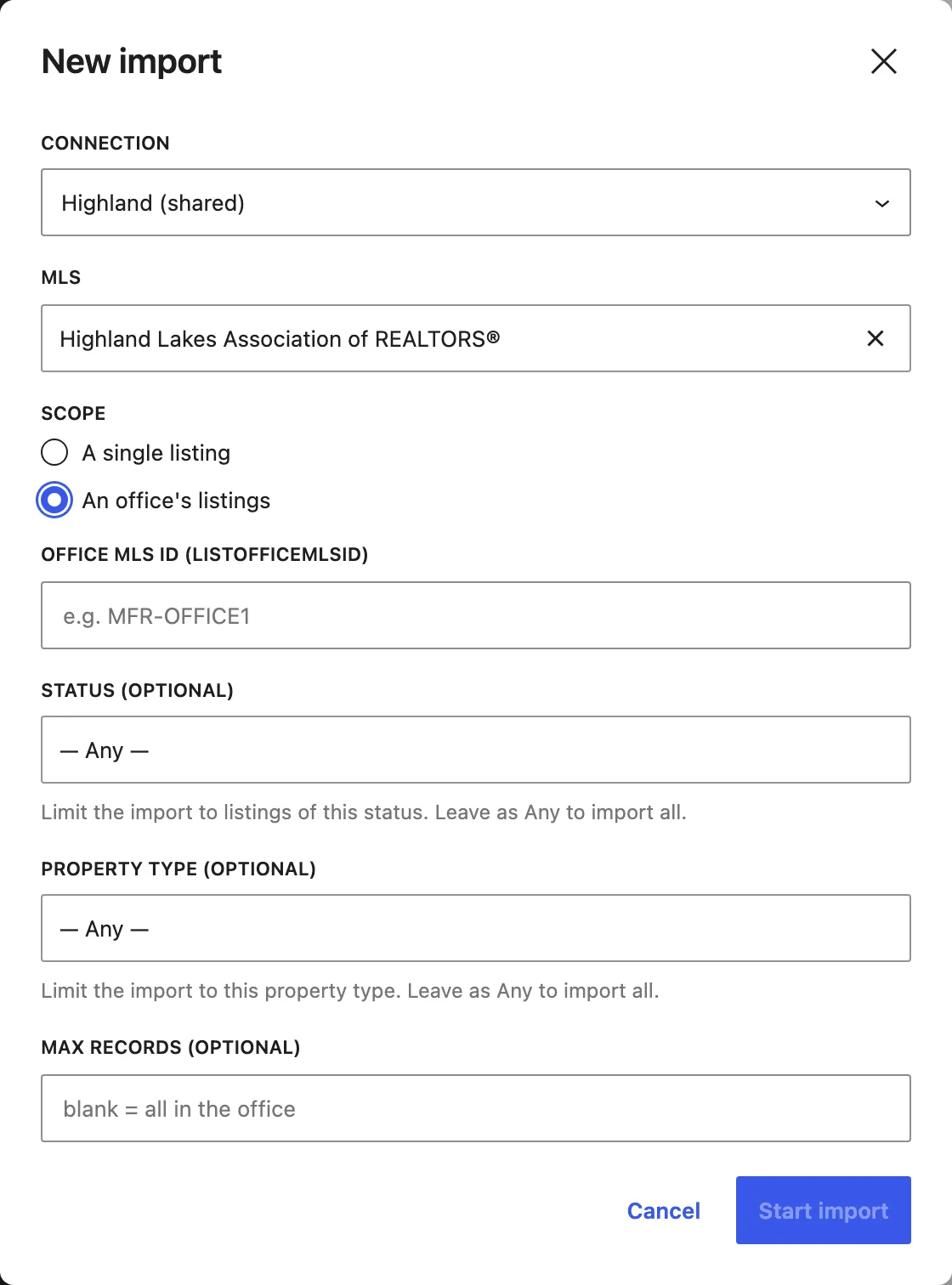
-
Connection is which saved connection to run through. Shared connections are marked (shared).
-
MLS is which of that connection’s MLS sources to pull from.
-
Scope bounds every run to one of:
- An office’s listings. Enter the office’s Office MLS ID
(
ListOfficeMlsId, e.g.MFR-OFFICE1) to import all of that office’s listings. - A single listing. Enter the Listing MLS ID (
ListingId, e.g.MFR123456) to import just that one.
- An office’s listings. Enter the office’s Office MLS ID
(
-
Narrow an office import (optional). When importing a whole office, you can limit the run by Status (only listings in a given status, such as Active), Property type, and Max records (a cap on how many records the run pulls). Leave any of these at its default to import everything in scope.
-
Choose Start import. Barbican records the run as a job and gets to work.
What an import brings in
Section titled “What an import brings in”An import doesn’t only fetch the listing row. For every listing it pulls the whole record:
- Media, the listing’s photos and files (localized to your own server, so you’re not hotlinking the MLS).
- Rooms and unit types, imported inline with the listing.
- Open houses, which come across too and immediately appear on your open-house pages and calendar.
The listing records land first; the photos download afterwards in a paced, background pass (MLS Grid meters media, so Barbican paces the downloads and retries throttled ones automatically). You watch all of it happen in the run’s log.
Re-running an import
Section titled “Re-running an import”You can run an import again any time:
- A single-listing import is a one-shot pull. Re-run it to refresh that listing.
- An office import resumes where it left off. It picks up from your last import of that office and pulls what changed, so re-runs stay fast.
Either way, re-importing a listing updates the existing record in place (matched by key) rather than creating a duplicate.
Every run shows up on the Import jobs tab, with a live log you can follow.